Finishing Karpathy's Zero to Hero, Including GPT-2
Apr 23, 2026
After finishing all ten lectures in Karpathy's Zero to Hero series, the biggest lesson was not only how GPT works, but how to make model training practical on real hardware.
I finished Andrej Karpathy’s full Neural Networks: Zero to Hero series.
The second half of the course moves from small language models into the real thing: building GPT, understanding tokenizers, and then reproducing GPT-2 training at a serious scale.
After going through all ten lectures, my main feeling is that this is not a casual YouTube playlist. If you follow the videos properly, write the code yourself, run the experiments, debug the errors, and tune the parameters for your own machine, it feels much closer to taking a real university course.
The best route is still simple: start from lecture 1 and follow everything in order. That is what I did. But realistically, doing that takes one or two weeks of focused effort.
If you do not have that much time or patience, I think there is a shorter path.
The Short Route Through Zero to Hero
If I had to recommend only a few lectures, I would choose these four.
1. The spelled-out intro to neural networks and backpropagation: build micrograd
This is the lecture that gives you the basic mental model for neural networks and backpropagation.
For someone like me, who wants to understand the machinery rather than just use APIs, this lecture is extremely valuable. It turns “gradient descent” from a phrase into something you can actually trace.
2. The spelled-out intro to language modeling: build makemore
This lecture gets you into PyTorch and basic neural network training.
It also makes language modeling feel concrete. Instead of starting with a giant transformer, you start with character-level prediction and build up from there.
3. Building makemore Part 2: MLP
This is where training starts to feel real.
You see learning rates, optimization behavior, and multilayer networks in a way that is still small enough to inspect. For me, this lecture was one of the most important bridges between “I understand the idea” and “I can actually train something.”
4. Let’s build GPT: from scratch, in code, spelled out
This is the most satisfying lecture in the series.
Karpathy basically walks through the core ideas from Attention Is All You Need and builds the attention mechanism and language model from scratch. It is dense, but the payoff is high. By the end, GPT is no longer a magic word. It is code you have typed, run, and modified.
The Other Lectures Are Still Worth It
The lectures I did not list above are not filler. They are also excellent.
Lecture 4 focuses on BatchNorm and makes activations and gradients visible.
Lecture 5 manually implements backpropagation. It is very satisfying, but it also requires math, patience, and a lot of scratch paper.
Lecture 6 builds an MLP in a WaveNet-like style, which gives a useful feel for how neural network architectures develop.
Lecture 8 is Karpathy’s Microsoft talk, a more general explanation of how large models are trained.
Lecture 9 explains tokenizers.
Lecture 10 reproduces GPT-2 training.
Together, the series is not just a coding tutorial. It is a guided walk through the stack: tensors, gradients, optimization, model architecture, tokenization, and finally large-scale training.
What Hardware You Need
Hardware matters more in the second half.
Lectures 1, 2, 8, and 9 do not need anything special. CPU is fine.
For lectures 3 to 5, CPU still works, but you will spend more time waiting. That waiting can hurt the continuity of learning.
Lectures 6 and 7 are much better with a GPU. Without one, the experiments become hard to follow comfortably.
Most of my local experiments ran on an RTX 5080 with 16GB of VRAM. That was enough for almost everything before the final full GPT-2 training run.
Lecture 10 is different. The early part of the video, before the real multi-GPU training section, still worked on my local machine. But once the training setup moved toward full GPT-2 reproduction, a home GPU was no longer the right tool.
Karpathy used 8 A100 GPUs, each with 80GB of VRAM. That gives a very different amount of room. On a local machine, the practical move is to reduce parameters while developing and debugging.
That became one of the most useful habits from this part of the course:
do not debug expensive training runs at full size.
Use small parameters first. Make sure the algorithm is correct. Make sure the code runs. Make sure the loss moves in the right direction. Only then move to expensive hardware.
The reason is simple: cloud GPU time is expensive.
Watch VRAM While You Tune
When adjusting parameters locally, I watched GPU usage closely.
My GPU is in a Windows machine, so the easiest tool was just Task Manager. I opened the Performance tab, watched VRAM usage, and tuned parameters until memory usage was high enough to be efficient but still below the limit.
If your GPU is on Linux, or if Task Manager is not convenient, this command is enough:
watch -n 1 nvidia-smiThat one command becomes part of the workflow. You change parameters, run again, and watch whether memory usage behaves the way you expect.
Renting 8 A100 GPUs Was Harder Than Expected
I tried several GPU cloud providers before getting the final training run going.
The domestic providers I checked mostly did not have 8 A100 GPUs available, at least not when I tried. Maybe they were rented out.
Many international providers had a different problem: they did not accept Chinese credit cards. I tried several sites, and at one point my card was even locked and I had to ask the bank to unlock it.
Eventually, I got a machine on vast.ai.
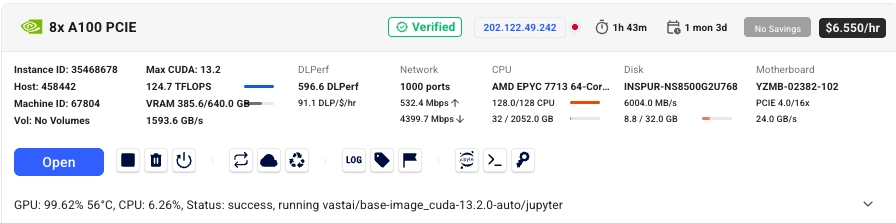
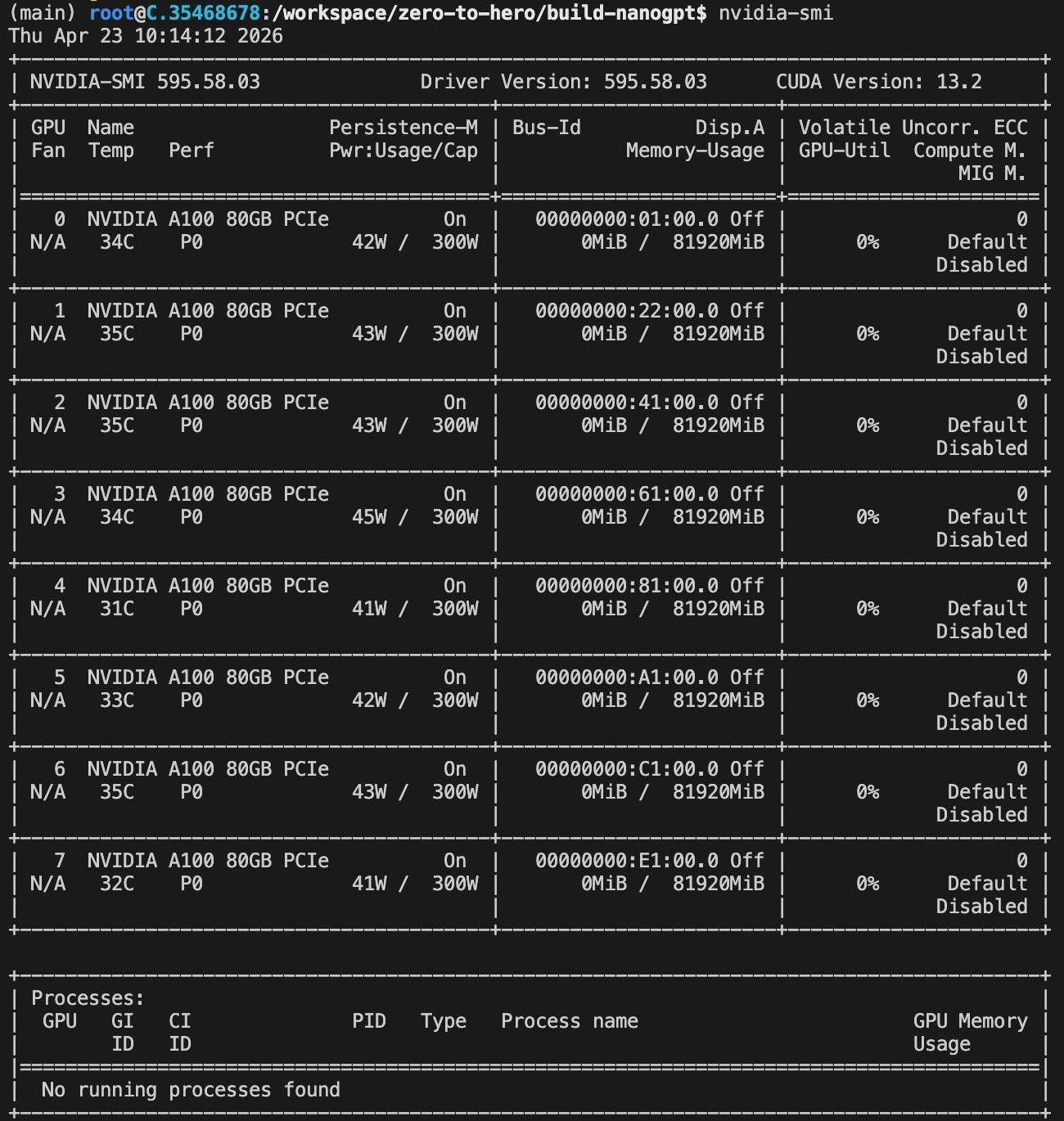
I started with $50.
Preparing the environment and downloading the data took about 25 minutes. After that, I had $46.64 left.
The training run looked like it would take about 4.5 hours. For some reason, throughput was only about half of what Karpathy showed in the video. My guess is that I hit an I/O bottleneck somewhere.
Fortunately, the total time was still manageable.
The final run did take about 4.5 hours. When it finished, I had $16.11 left. In other words, the training itself cost about $34, roughly 200 RMB.
The result was close to Karpathy’s result and beat the original GPT-2 124M model on HellaSwag.
Karpathy explains one possible reason for that result at the end of the video. I will not spoil it here.
Notes for Running This on vast.ai
There are a few practical details worth writing down.
First, attach extra disk space. The training data will not fit comfortably without it. I attached 100GB, and that was just barely enough.

Second, after the machine starts, connect to it from VS Code over SSH. That made the workflow much easier than trying to do everything through a web terminal.
Third, after connecting, these were the basic commands I used:
# Clone the code and install dependencies.
git clone https://github.com/benyue1978/zero-to-hero.git
cd zero-to-hero
pip install -r requirements.txt

# Test the environment with a cheaper machine first,
# for example a machine with two RTX 3060 GPUs.
cd build-nanogpt
# torchrun --standalone --nproc_per_node=2 train_gpt2.py

# Download and process the training data.
python fineweb.py

# Download and run HellaSwag evaluation.
python hellaswag.py

# Run the real training job on 8 A100 GPUs.
torchrun --standalone --nproc_per_node=8 train_gpt2.py
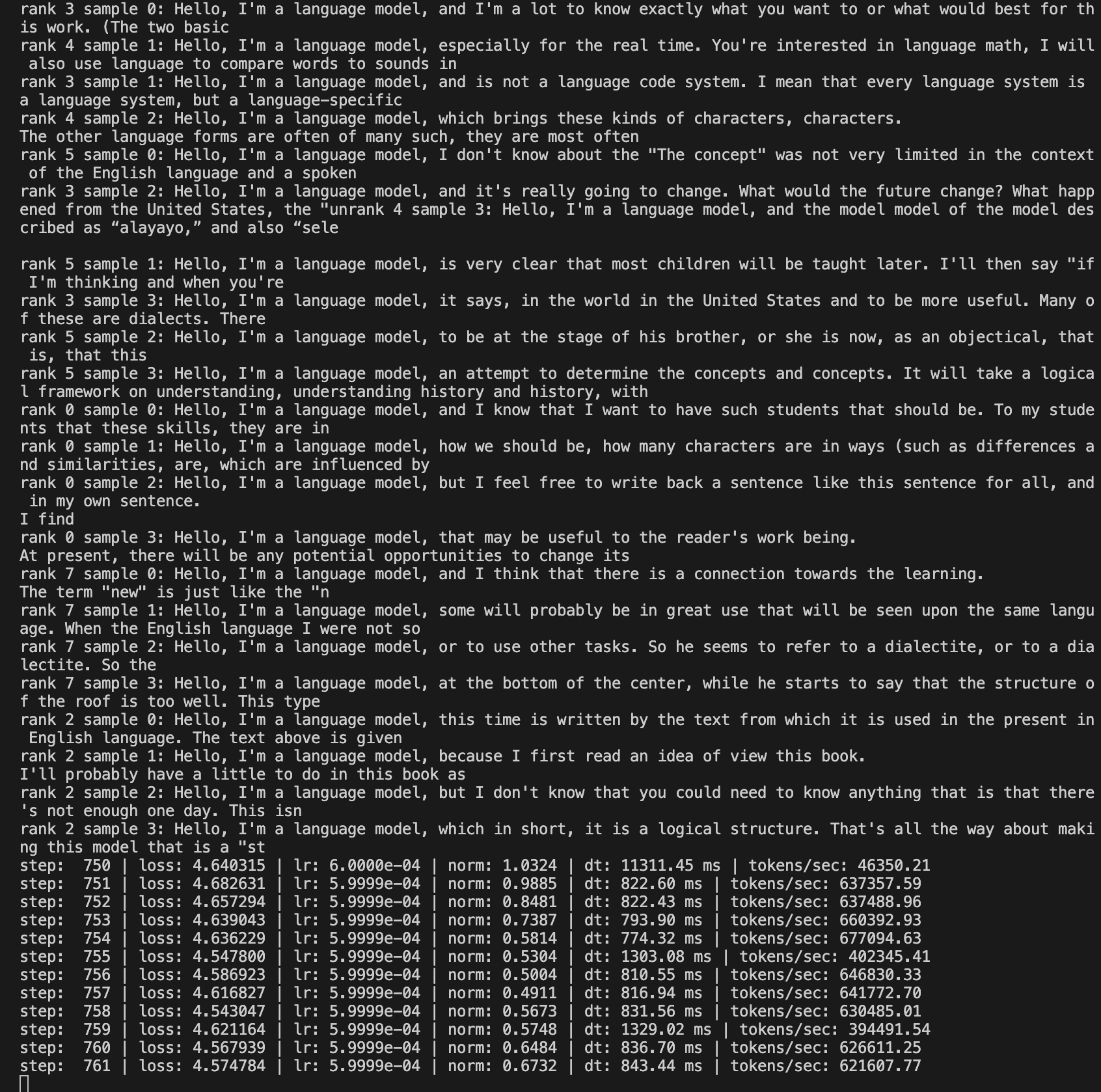
Fourth, while training is running, keep an eye on the logs. You can watch them directly in the VS Code terminal, or use Jupyter Notebook to inspect progress.
At 750 steps, the samples were still rough, but the training loop was clearly working.
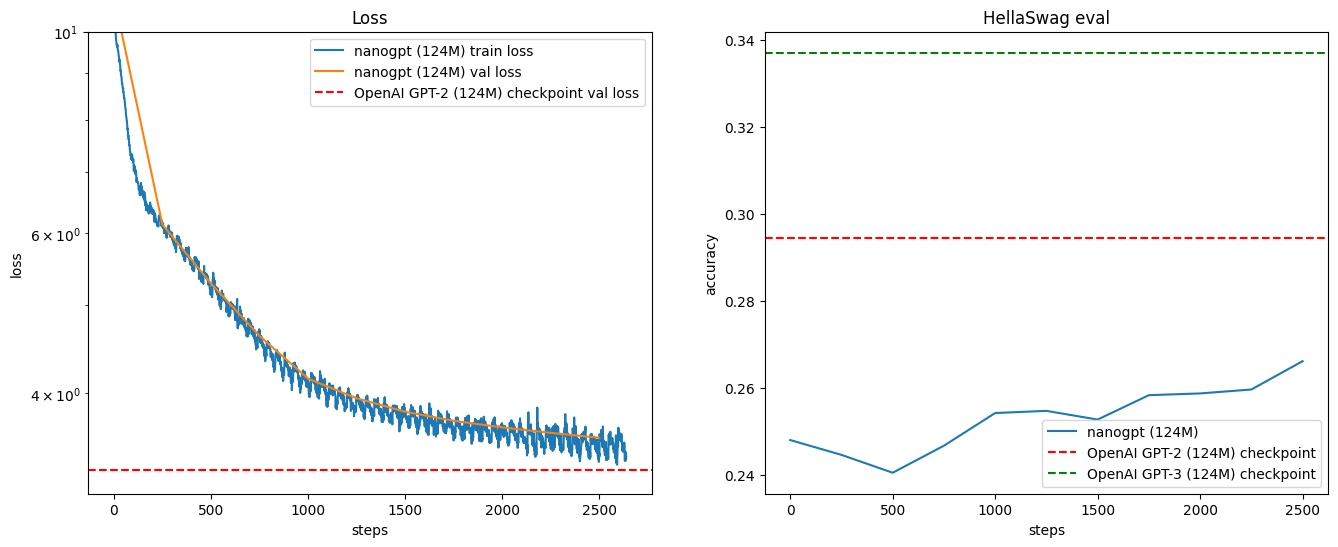
At 2,500 steps, the generated text was starting to look more structured.
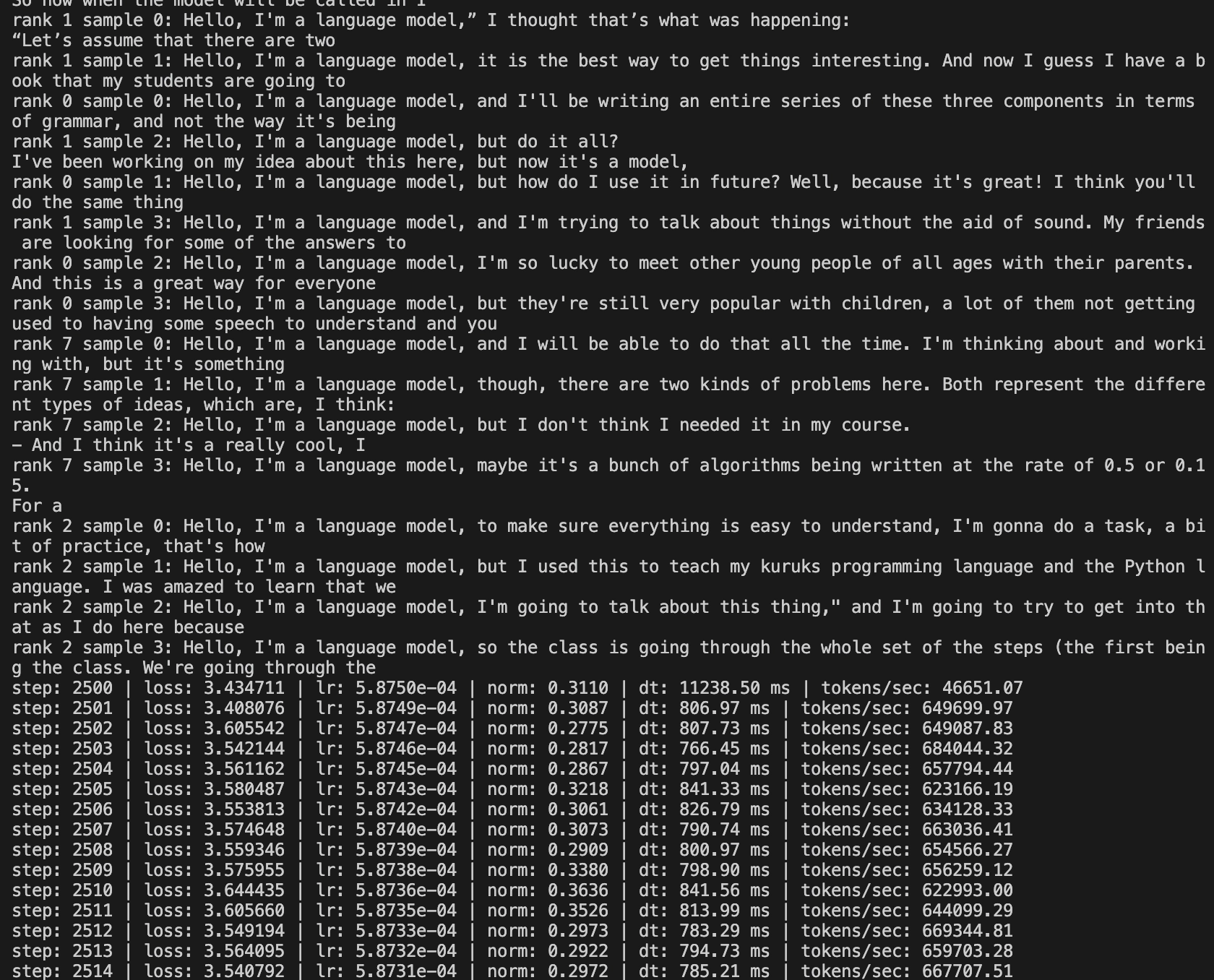
The evaluation logs at the same point showed loss moving down and HellaSwag accuracy moving up.
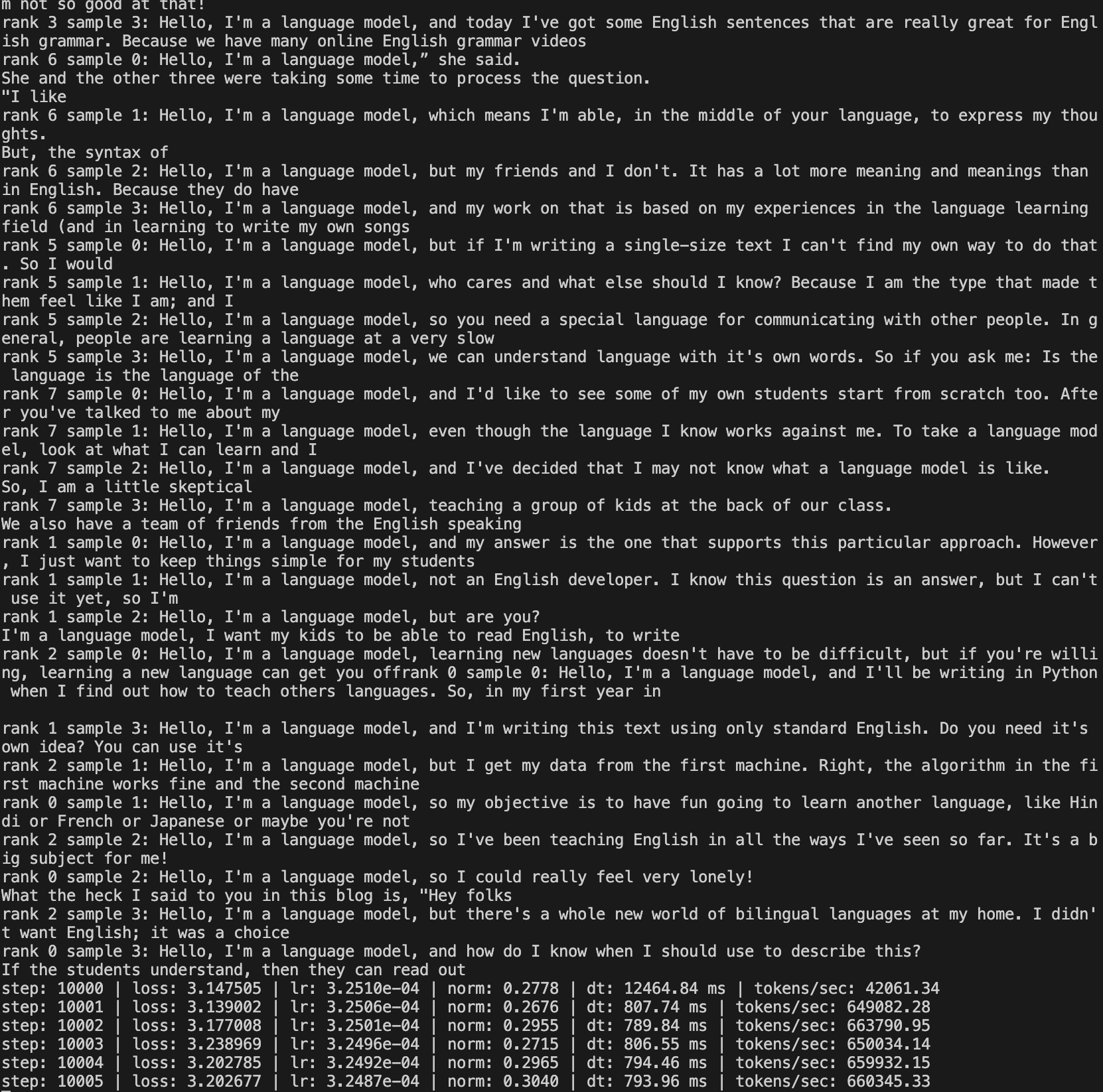
By 10,000 steps, the samples were much more readable.
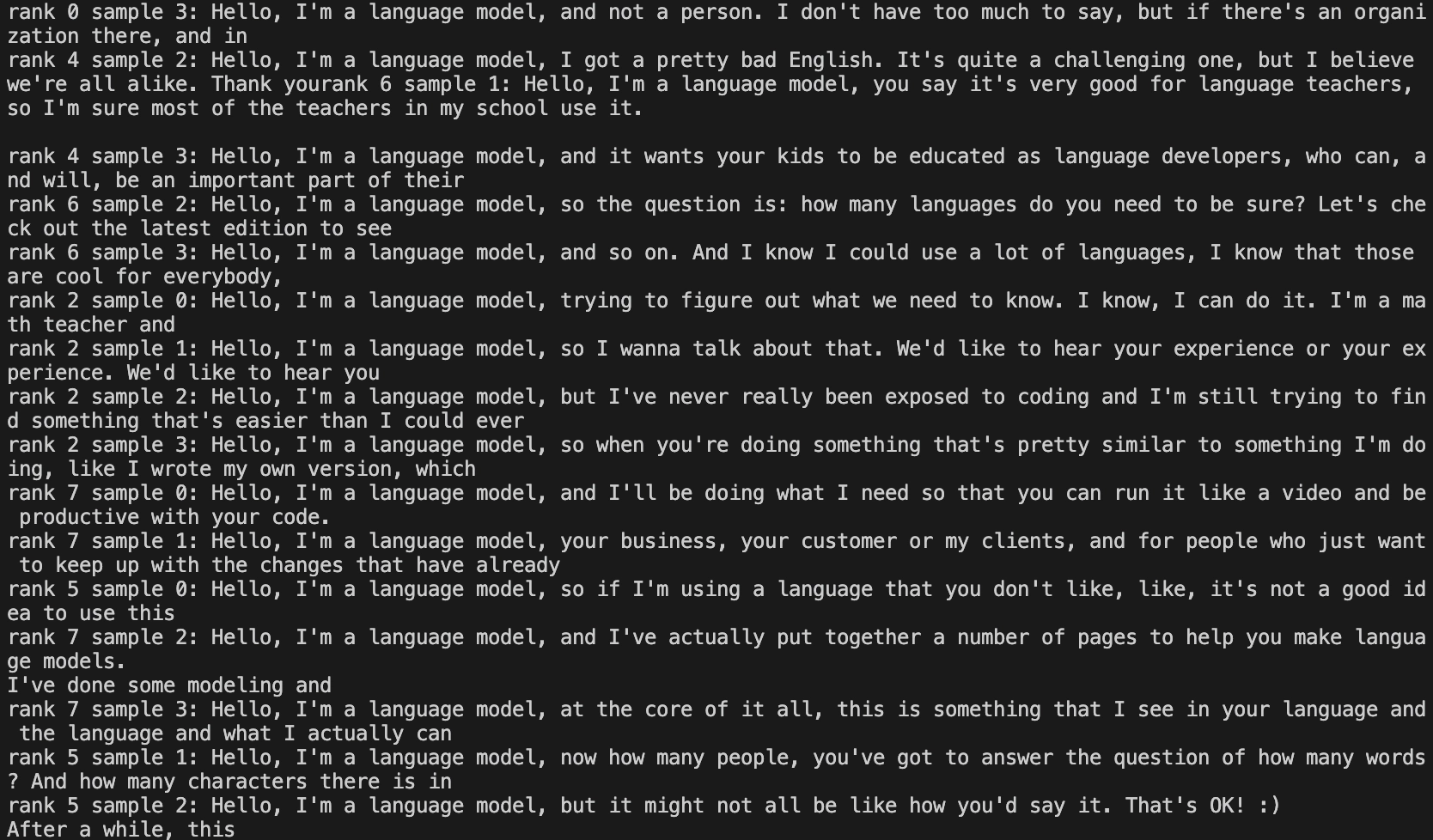
At the end of training, the samples and evaluation results were close to what Karpathy showed in the lecture.
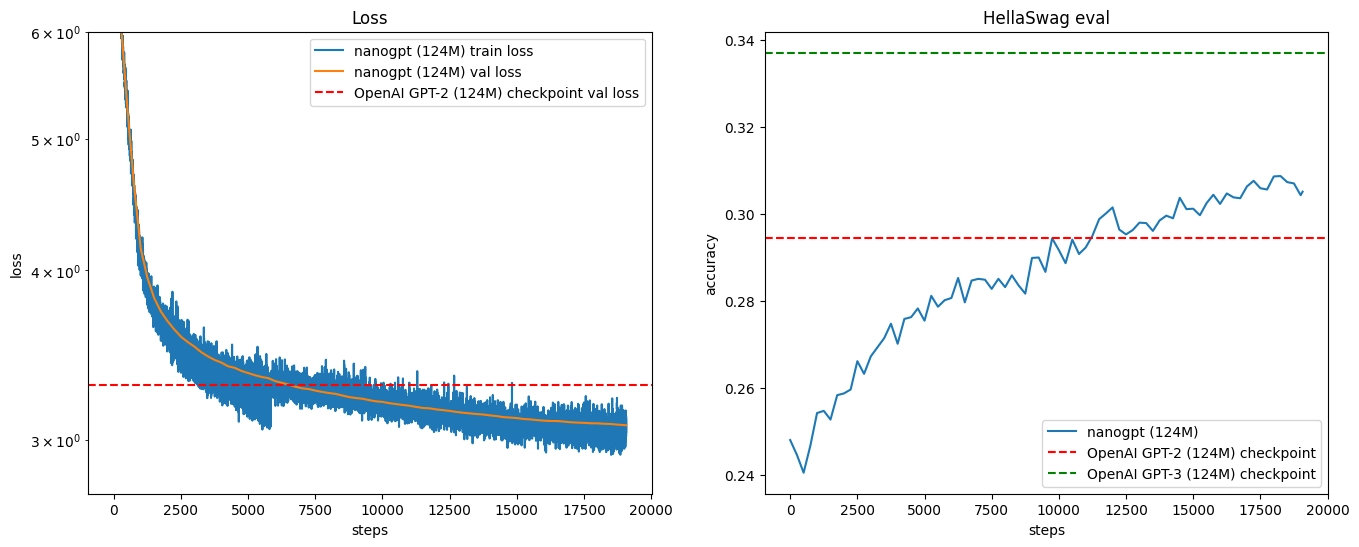
That part was especially satisfying. The loss kept going down. The HellaSwag score kept going up. The model’s generated text gradually became less broken and more like something a human might write.
The Real Lesson
The most obvious lesson from this second half of Zero to Hero is technical: GPT is not magic. Attention, tokenization, batching, distributed training, evaluation, and sampling can all be understood piece by piece.
But the more practical lesson is about engineering discipline.
Big training runs are expensive. That changes how you should work.
You need to make the experiment small first. You need to observe memory usage. You need to confirm that the code is correct before scaling it. You need to know when local hardware is enough and when renting GPU time is the right move.
For me, spending $34 to reproduce a GPT-2-level training run was worth it. Not because I now have a useful model. I do not.
It was worth it because I now have a much more concrete understanding of what “training a language model” actually involves.
That is the real value of this series. It takes ideas that usually feel abstract and turns them into code, logs, memory limits, waiting time, and money spent.
And after doing that, the field feels a little less mysterious.
The ideas in this post are mine; Codex helped me write it.
If you'd like to follow what I'm learning about AI tools and workflows, you can subscribe here → Subscribe to my notes